

When we talk about web design for a small business, we’re not just talking about making something that looks nice. We’re talking about building a strategic tool—a digital workhorse designed from the ground up to attract local customers, build unshakable credibility, and genuinely drive growth. It’s about turning your online presence into one of your most valuable assets. If you’re ready to make that happen, our dedicated team is here to help you get started.
Why Your Website Is Your Most Valuable Employee
Forget the digital brochure analogy. Think of your website as your best employee—the one who works 24/7 without ever asking for a coffee break. For a small business owner juggling a million tasks, having this constant, reliable presence is an absolute game-changer.
This tireless team member is your top salesperson, your brand evangelist, and your front-line customer support rep, all rolled into one. It’s always there, ready to engage potential customers, answer their questions, and showcase your best work, even while you’re busy actually running your business. A well-thought-out design ensures this employee isn’t just present, but incredibly effective.
Building Trust in a Heartbeat
Online, first impressions aren’t just important; they’re everything. And they happen in the blink of an eye. Your website is often the very first handshake a potential customer has with your brand. A clean, professional, and intuitive site immediately signals that you’re trustworthy and serious about what you do. On the flip side, an outdated or clunky design can send people clicking away before they even find out how you can help them.
The numbers back this up. Research consistently shows that about 75% of consumers judge a business’s credibility based on its website design alone. It’s a gut reaction. Even more compelling, sites with a superior user experience have been shown to achieve conversion rates up to 400% higher than their poorly designed counterparts. That’s a massive performance gap you can’t afford to ignore.
Your website is your digital storefront. A cluttered, slow, or broken storefront tells customers you don’t care about their experience. A beautiful, intuitive one invites them in and encourages them to stay.
Turning Clicks into Customers
A truly great website does more than just sit there and look pretty; it’s an active participant in your sales process. It’s engineered to guide visitors smoothly from “just browsing” to becoming loyal customers. This transformation happens through a few key ingredients:
- Clear Calls-to-Action (CTAs): You have to tell people what to do next. Compelling, action-oriented buttons like “Get a Free Estimate,” “Shop Now,” or “Book an Appointment” are non-negotiable.
- Effortless Navigation: If people can’t find what they’re looking for quickly, they’ll leave. It’s that simple. Your site’s layout should feel natural and frustration-free.
- Speed is Everything: Your site must load fast on every device—desktops, tablets, and especially phones. Even a one-second delay can cause visitors to bounce.
To really get the most out of your star employee, people have to be able to find it in the first place. This is where mastering the essential SEO strategies for small businesses becomes critical for attracting the right kind of traffic.
To help you visualise how these pieces fit together, here’s a breakdown of what turns a basic site into a high-performing business tool.
Core Components of a High-Performing Business Website
This table outlines the essential elements that transform a simple website into a powerful business asset, showing their direct value.
| Core Element | Why It Matters for Your Business | Key Objective |
|---|---|---|
| Professional Design | Establishes credibility and trust instantly. A polished look reflects the quality of your work. | Build Confidence |
| Mobile-First Responsiveness | The majority of users browse on their phones. Your site must work perfectly on any screen. | Ensure Accessibility |
| Intuitive Navigation | A frustrated visitor is a lost customer. Easy navigation keeps them engaged and on-site. | Reduce Bounce Rate |
| Clear Calls-to-Action (CTAs) | Guides visitors on the next step you want them to take, from calling to buying. | Drive Conversions |
| Fast Page Load Speed | Slow sites are penalised by search engines and abandoned by users. Speed is crucial. | Improve User Experience |
| SEO Foundation | Helps your target audience find you on Google when they’re actively searching for your services. | Increase Organic Traffic |
Each of these components plays a vital role in making sure your website doesn’t just exist, but actively contributes to your bottom line.
Building a powerful online presence can feel like a huge undertaking, but you don’t have to figure it all out on your own. Our team is here to offer professional advice and a free estimate to help you build a website that works as hard as you do. Let’s connect and create something that truly moves the needle for your business.
Building Your Website’s Strategic Blueprint
Before you even think about colours or fonts, you need a solid plan. A great small business website isn’t just about looking good; it’s a strategic tool designed to attract your specific audience and achieve clear business goals. Skipping this step is like building a house without a blueprint—it’s going to get messy.
Let’s get our hands dirty and map out the core elements that will guide every single design decision from here on out.
- Get inside your customer’s head: Create detailed buyer personas that capture their real motivations and pain points.
- Know what you’re aiming for: Set SMART goals for traffic, leads, and sales.
- Scope out the competition: See what your top competitors are doing right (and wrong).
- Draw the map: Sketch a sitemap to create a logical, easy-to-follow navigation structure.
- Block it out: Draft simple wireframes to visualise how your pages will be laid out.
Defining Your Ideal Customer
Think of your buyer personas as your North Star. Every time you have to make a choice—”should this button be here?” or “is this copy clear?”—you’ll ask yourself what your ideal customer would want. You’re not just guessing; you’re building a profile based on real demographics, behaviours, and what truly matters to them.
For instance, if you’re a local café owner, your ideal customer probably values seeing the menu at a glance and being able to book a table without any fuss.
Here’s an actionable tip: list the top five questions your customers ask, and make sure your website answers them immediately. This simple exercise can transform your homepage.
Mapping The User Journey
A website visitor who feels lost is a visitor who leaves. The user journey is the path you want them to take, from the moment they land on your site to the moment they take action. You need to carefully map out the key pages where people will learn about you, engage with what you offer, and ultimately convert.
Think of it as a three-act play:
- Awareness: This is where you introduce your brand and tell your story.
- Consideration: Here, you showcase your services and spell out the benefits.
- Decision: The final act, where you prompt them to fill out a form, make a purchase, or get in touch.
The process flow in the image below really drives home how a responsive design adapts this journey seamlessly across different devices.
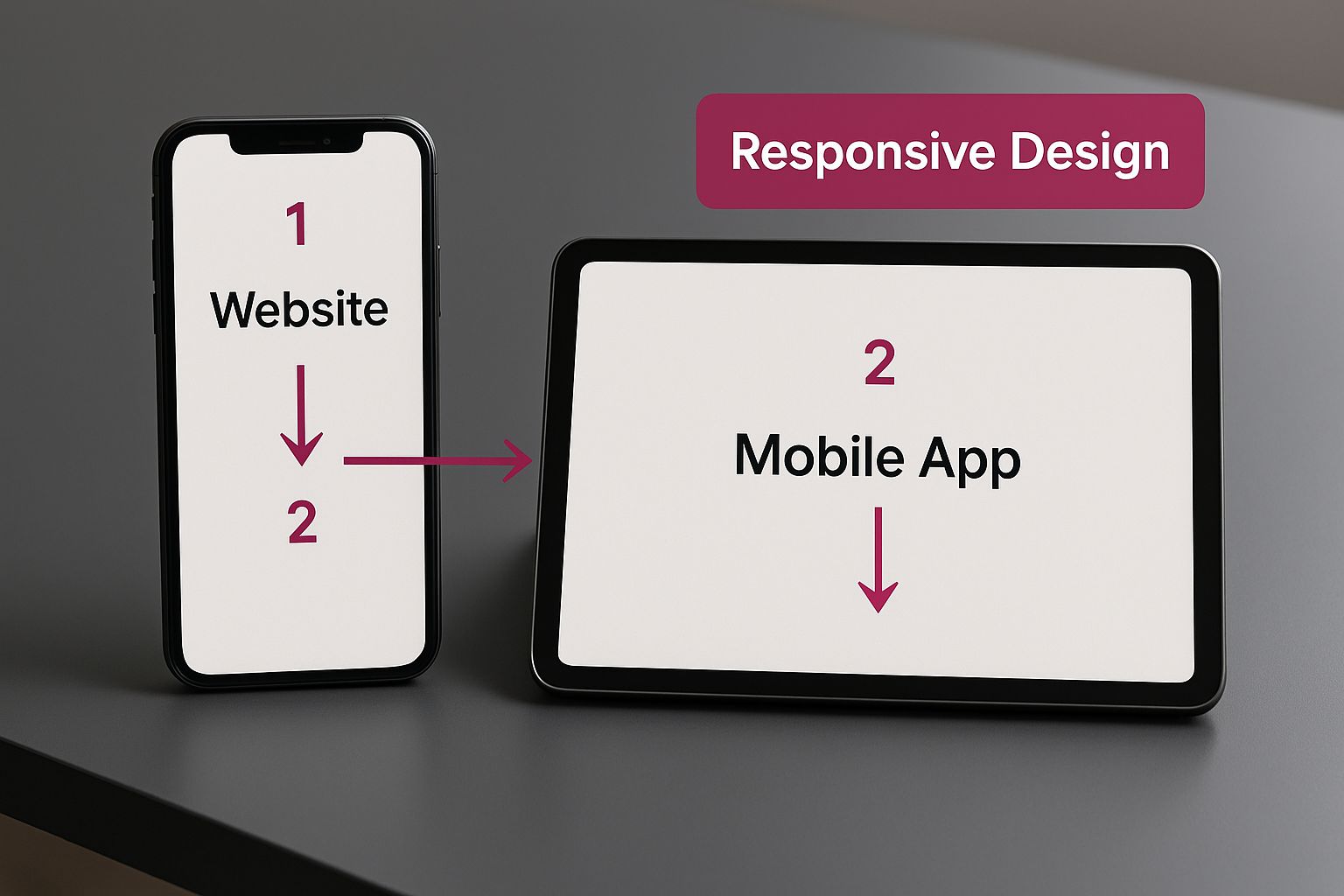
As you can see, a single sitemap can branch into unique wireframes for mobile and tablet, ensuring the experience is perfect no matter the screen size. This is why following responsive web design best practices isn’t just a technical detail—it’s fundamental to creating a website that works for everyone.
Analysing Competitors And Uncovering Gaps
You don’t operate in a vacuum. A little bit of competitor research can reveal massive opportunities for you to stand out. We recommend creating a simple comparison table to track what others are doing with their features, messaging, and performance.
| Feature | Competitor A | Competitor B | Your Actionable Insight |
|---|---|---|---|
| Mobile speed | 2.5s | 3.1s | Aim for under 2s to gain an edge |
| Checkout flow | Multi-step | Single page | Simplify yours for clarity & speed |
| Visual consistency | Varies | Strong | Ensure your branding is flawless |
Once you see the gaps, you can align your sitemap and wireframes to capitalize on those unmet needs. This could mean changing your navigation labels, reordering pages to highlight your strengths, or making your key calls-to-action more prominent than theirs. This is the kind of professional insight our team can help you uncover.
Sketching Your Sitemap Structure
A sitemap is the skeleton of your website. It outlines the hierarchy of your pages, making it easy for both users and search engines like Google to understand your site’s structure. Group related pages under intuitive categories—the classics are About, Services, Blog, and Contact.
Here’s some actionable advice from our experience:
- Keep your main menu clean; stick to seven top-level categories or fewer.
- Use descriptive page titles. “Custom Cabinetry” is much better than “Product 1.”
- If you’re redesigning, map out where old pages will redirect to avoid broken links and lost SEO value.
Getting the sitemap right from the start makes building wireframes a much smoother process.
Building Usable Wireframes
Wireframes are all about structure, not style. At this stage, you should forget about colours, images, and fonts. Instead, use simple shapes and placeholder text to map out where everything will go on the page. This forces you to focus on function and user flow.
When you start wireframing, our advice is to:
- Use placeholders for images and text to keep the focus on the layout itself.
- Label each section clearly so everyone on the team understands the plan.
- If you can, create clickable prototypes and test them with real users. Their feedback is invaluable.
- Be prepared to iterate. Your first draft is rarely the final one.
Collaborating With Your Design Team
Don’t wait until the blueprint is finished to bring your designers into the loop. Share your personas and sitemap sketches with them early on. Their expertise can help you spot potential issues and refine your strategy before you’ve invested too much time.
Good collaboration is key:
- Set up weekly check-ins to review progress and make adjustments.
- Use shared tools like Figma or Miro so everyone can contribute in real-time.
Measuring Success And Next Steps
How will you know if your new website is actually working? You need to define your key metrics from the outset. Set some realistic benchmarks based on industry averages so you have something to measure against.
Here are a few essential metrics to watch:
- Bounce Rate: Aim for under 40%. A high rate can mean your pages aren’t relevant to visitors.
- Average Session Duration: Anything above 2 minutes suggests people are genuinely engaged with your content.
- Conversion Rate: Look for an improvement of 15% or more within the first three months.
Your website blueprint isn’t a “set it and forget it” document. You should revisit it regularly, using real data to refine pages and improve performance over time.
A well-mapped strategy cuts launch time by 20% and boosts user satisfaction from day one.
Putting in this groundwork might feel like a lot of upfront effort, but it pays off massively. It speeds up the entire development process and dramatically improves the final result. If you’d like professional help crafting this strategy, our dedicated team is ready to help you build a solid foundation.
Designing an Unforgettable Customer Experience
With your strategic blueprint in hand, it’s time for the fun part: bringing your vision to life. This is where we move past the planning documents and start creating a digital experience people will actually enjoy using. Great web design for a small business is about so much more than just looking good—it’s about crafting a journey that feels intuitive, helpful, and ultimately, memorable.
The whole process boils down to two critical, intertwined concepts: User Experience (UX) and User Interface (UI). Think of UX as the overall feeling someone gets using your site. Is it a breeze to find what they need? Is the checkout process painless? UI, on the other hand, is what they see and click on—the colours, fonts, and buttons. When these two work in harmony, you get a site that not only looks professional but also turns curious visitors into loyal customers.
Crafting a Compelling Brand Identity
Your website’s visual design is the digital handshake for your brand. It needs to instantly communicate who you are and what you’re all about. Consistency is everything here; it’s what builds recognition and trust with your audience from the very first click.
Here’s our actionable advice for a strong visual identity:
- Colour Palette: Colours have power—they evoke emotion. A day spa might lean into calm blues and greens, while a tech startup might go for an energetic orange. A good rule of thumb is to stick to a primary palette of two to three colours to keep things clean and avoid overwhelming your visitors.
- Typography: The fonts you pick say a lot about your brand’s personality and seriously impact readability. Choose one or two easy-to-read fonts that match your vibe—one for headlines, another for the main text.
- Imagery: This one’s a biggie. High-quality, authentic photos and graphics are non-negotiable. Stock photos can fill a gap, but nothing builds a genuine connection like original pictures of your team, your products, or your physical space.
Building Intuitive Navigation
If a visitor can’t figure out where to go in a few seconds, they’re gone. It’s that simple. Your website’s navigation needs to be so straightforward that it requires zero thought. The real goal is to eliminate friction and guide people effortlessly to what they’re looking for.
Take a local bakery, for example. Their main menu should have clear, unmissable links for “Menu,” “Order Online,” and “Location & Hours.” Burying those essential links inside a dropdown menu just adds an annoying, unnecessary step for a hungry customer.
An unforgettable customer experience isn’t about flashy animations or trendy designs. It’s about making your visitor’s journey so smooth and logical that they don’t even notice the design—they just find what they need and feel good doing it.
Of course, a huge part of that smooth journey is how fast your pages load. Even the most intuitive layout can be torpedoed by slow-loading images or clunky code. To make sure your site performs as beautifully as it looks, it’s often worth exploring professional load speed optimization services. A faster site is a better experience, period. It also leads to higher conversion rates.
Designing Powerful Calls to Action
Every single page on your website should have a purpose. The Call to Action (CTA) is your tool for prompting visitors to fulfill that purpose. A CTA isn’t just a button; it’s a clear, persuasive instruction that tells the user exactly what to do next.
To make your CTAs really work, here’s our suggestion:
- Be Action-Oriented: Start with strong verbs. Think “Get,” “Book,” “Download,” or “Shop.” Instead of a boring “Submit,” try “Get Your Free Quote.” It’s much more compelling.
- Be Visually Prominent: Your CTA buttons have to pop. Use a contrasting colour that makes them stand out from everything else on the page. They should be impossible to miss.
- Be Strategically Placed: Put your CTAs where people are most likely to make a decision, like right after a glowing client testimonial or a detailed description of your services.
Gathering Feedback for Continuous Improvement
Here’s a secret: your website is never truly “done.” The best designs evolve based on how real people interact with them. Actively seeking feedback is the only way to find the little friction points you might have overlooked during the initial design phase.
Here are a few actionable ways to get inside your users’ heads:
- Surveys and Polls: Add a simple, non-annoying pop-up asking visitors about their experience. A quick question like, “Did you find what you were looking for today?” can give you incredibly valuable, real-time data.
- User Testing: This is gold. Ask a few people from your target demographic to complete specific tasks on your site while you watch. You’ll learn more from their struggles in 15 minutes than you would from a week of guessing.
- Heatmaps: Tools that create heatmaps show you exactly where people are clicking, scrolling, and hovering. This visual data is fantastic for seeing which parts of your page are grabbing attention and which are being completely ignored.
To keep refining your site and making sure it truly serves your customers, you’ll need the right tools for the job. You can discover some of the best website feedback tools to help you collect and make sense of all that user data.
Pulling all these pieces together—the visuals, the navigation, the clear actions—can feel like a lot. If you’re feeling overwhelmed or just aren’t sure how to translate your ideas into a design that captivates, you’re not alone. Our team is here to help. Reach out for a free estimate, and let’s build a website your customers will absolutely love to use.
Powering Your Business with E-Commerce
For a lot of small businesses, an online store isn’t just an add-on; it’s the heart of the entire operation. Taking the leap into e-commerce is a huge step. It transforms your website from a simple digital brochure into a powerful engine for sales and growth. This is where strategic small business web design really hones in on driving transactions and creating a shopping experience that feels effortless from the moment someone lands on your site.
The e-commerce world is absolutely booming, and small businesses are right at the centre of it all. Just look at California, which has become a massive hub for online sales. A staggering 2.54 million small businesses there are selling their products online. That’s more than half the state’s entire small business sector, which just goes to show how essential a solid e-commerce presence has become for staying competitive. You can dive deeper into the trends shaping California’s e-commerce market to see the full picture.
Choosing the Right E-Commerce Platform
The platform you build your online store on is its foundation. Getting this choice right is critical because it affects everything—from how you manage your store day-to-day to your ability to grow down the road. There are a few fantastic options out there, and each has its own unique strengths.
Let’s walk through the most popular choices:
- Shopify: This is often the first stop for businesses wanting an all-in-one solution that’s incredibly easy to use. Shopify takes care of the hosting, security, and payments, which is perfect if you’d rather focus on selling products than on technical maintenance.
- WooCommerce: If you’re already running a WordPress site, WooCommerce is a natural choice. It’s a powerful and flexible plugin that turns your existing site into a full-blown online store. You get endless customisation possibilities, but it does require a more hands-on approach to management.
- BigCommerce: This platform is a real powerhouse for businesses with large product catalogues or those planning for serious growth. It comes loaded with advanced features right out of the box, offering fantastic scalability without making you pay for a bunch of add-ons.
The “right” platform really comes down to your specific needs—what you’re selling, your comfort level with technology, and your long-term goals. It can feel like a big decision, but our team is here to offer professional advice to make sure you pick a foundation that will support your success for years.
Designing High-Converting Product Pages
Think of your product pages as your digital sales floor. This is your chance to convince a visitor that your product is exactly what they’ve been looking for. A page that converts well is a masterful blend of great visuals, persuasive writing, and a user experience that feels completely seamless.
Here’s our actionable advice for a killer product page:
- Stunning Product Photography: Your photos have to do the heavy lifting. Use high-resolution images from multiple angles. Show your product in action, highlight key details, and think about adding a short video to really bring it to life.
- Persuasive Product Descriptions: Don’t just list specs. Tell a story. Focus on the benefits—how will this product make your customer’s life better? Try to answer their questions before they even ask them, and use bullet points to make key info easy to find.
- Clear Pricing and a Prominent CTA: There should be zero guesswork about the cost. Make your “Add to Cart” button stand out by using a bold, contrasting colour. You can’t miss it.
- Social Proof: Nothing sells a product like a happy customer. Feature customer reviews and ratings directly on the page. Seeing that other people have bought and loved an item is one of the most powerful ways to build trust.
You have to shift your mindset. Think of your product page as your best salesperson, ready to answer every question and build genuine excitement for the purchase. If you’re unsure how to do this, our team has the expertise to help.
Creating a Frictionless Checkout Process
You’ve done all the hard work to get a customer to the checkout—the absolute last thing you want is for them to get frustrated and leave. A study by the Baymard Institute found that 19% of shoppers abandon their carts simply because the checkout process was too long or complicated. Simplicity is everything here.
Here’s an actionable checklist to streamline your checkout:
- Offer a guest checkout option. Forcing someone to create an account is a major roadblock.
- Keep your forms as short as possible. Only ask for what you truly need.
- Show all costs upfront, including shipping and taxes. No surprises.
- Provide multiple secure payment options, like credit cards, PayPal, and other digital wallets.
Building a solid e-commerce site, from picking the right platform to perfecting the checkout, is a big job. For businesses looking to tap into the power of a platform like Shopify, working with experts can make all the difference. Take a look at our specialized services for custom Shopify website design to see how we can help you build an online store that delivers real results.
If you’re ready to start selling online or want to get more out of your current e-commerce site, our team is here to help. Reach out for a free estimate, and let’s create an online store that not only looks incredible but also becomes a true engine for your business’s growth.
Designing a Website That Fits Your Industry
A generic, one-size-fits-all website just doesn’t cut it anymore. In a crowded market, your online presence needs to be more than a digital brochure; it has to be a hardworking tool built specifically for your business and your customers.
The truth is, what works for a local restaurant is completely wrong for a law firm. Understanding these industry-specific nuances is what separates a website that just sits there from one that actively drives growth. It’s about moving beyond a basic template and focusing on the features that will make a real difference to your bottom line.
Tailoring Your Design to Your Niche
Let’s get practical and look at a few examples. A local restaurant’s website has one main job: get people to book a table or order food. That means an online ordering system, a clear menu, and easy-to-find contact details are non-negotiable. Cool animations mean nothing if a hungry customer can’t quickly place their lunch order.
Now, think about a law firm. Their website’s goal is entirely different—it’s about building instant trust and credibility. It needs a professional, authoritative design that puts client testimonials, lawyer profiles, and clear practice area descriptions front and centre. From the moment a potential client lands on the page, the design has to communicate expertise.
The best websites are built with a deep understanding of their industry’s unique demands. They answer a customer’s unspoken questions and make it incredibly easy for them to take the next logical step.
This industry-first approach is vital everywhere. In a place like California, the diverse economy directly shapes what small businesses need from their websites. The state’s massive entertainment sector, contributing around $405 billion annually, requires visually stunning, interactive sites to grab attention. In contrast, financial firms need clean, secure digital platforms, while healthcare providers need sites that meet strict regulatory standards while being simple for patients to navigate.
Essential Features for Different Industries
While every business is unique, certain features are simply must-haves for specific sectors. Launching a site without them is like opening a store without a cash register—you’re missing a core piece of the puzzle.
Here is some actionable advice for different sectors:
- For Retail & E-Commerce: High-quality photos are everything. Customers want to see products from every angle, zoom in on the details, and maybe even see them in action. A smooth, frictionless checkout process and a clearly stated return policy are just as critical for turning casual browsers into paying customers.
- For Service-Based Businesses (Plumbers, Consultants, etc.): An online booking or appointment scheduling system is an absolute game-changer. It cuts down on your admin time and lets clients book your services 24/7. Displaying your certifications and customer reviews prominently also works wonders for building instant trust.
- For Healthcare & Wellness Clinics: Patient privacy is paramount. Any online form that collects patient information must be secure and HIPAA-compliant, no exceptions. The site should also provide easy access to patient portals, office hours, and service information, all within a calm and reassuring design.
Finding Your Competitive Edge
A great place to start is by looking at what your competitors are doing online, but the real goal is to find where they’re falling short. Does their site take forever to load on a phone? Is their contact info buried three clicks deep? Every bit of friction on their website is a golden opportunity for you to create a better experience.
For businesses using a platform like WordPress, the customization possibilities are practically endless. You can integrate specialized plugins for just about anything, from sophisticated booking systems to secure client portals.
At the end of the day, a website that truly fits your industry isn’t about following a rigid template. It’s about a thoughtful strategy that puts your specific customer’s needs at the heart of every single design decision. Our dedicated team is ready to provide the professional advice you need to build that strategy.
Your Web Design Questions Answered
Diving into the world of web design can sometimes feel like you’re learning a whole new language. There are so many technical terms, strategic decisions, and questions that naturally pop up. To help clear things up, here are answers to the most common questions we hear from small business owners, giving you the straightforward info you need to move forward with confidence.
How Much Should a Small Business Website Cost?
This is usually the first question on everyone’s mind, and the most honest answer is: it really depends. The price tag for a website can swing pretty widely based on what you need it to accomplish.
Think of it like building a house. A small, standard model has a very different cost than a sprawling, custom-built home with a chef’s kitchen and a three-car garage. A simple, beautiful website with just a few pages is going to be a much smaller investment than a complex e-commerce site loaded with unique features.
A few key things will influence the final cost:
- Custom Design vs. Template: Is your site being built from the ground up, just for you, or are we adapting a pre-existing layout? A fully custom design is a bigger undertaking.
- Number of Pages: The more pages you need designed and built, the more time and resources it takes.
- Special Features: Things like online booking systems, customer login portals, or advanced e-commerce functions will add to the overall investment.
The best way to figure this out is to get a clear picture of what you actually need. That’s why we always start with a free, no-obligation estimate. We’ll listen to what you want to achieve and give you a transparent breakdown of the costs involved, with no surprises down the road.
How Long Does It Take to Build a Business Website?
Just like the cost, the timeline for building a website is tied directly to how complex it is.
A beautiful, straightforward informational site can often be ready to launch in about 4-6 weeks. On the other hand, a more intricate project, like a robust e-commerce platform with hundreds of products, might take 12-16 weeks or even longer.
The whole process is a partnership, and it usually moves through four key stages:
- Discovery & Strategy: We kick things off by getting to know your business, your goals, and who you’re trying to reach.
- Design: Our team gets to work creating the visual look and feel of your site, starting with wireframes and finishing with polished mockups.
- Development: This is where the magic happens behind the scenes. We write the code and build the functional website.
- Content & Launch: We plug in your content, run final tests, and then… liftoff!
One of the biggest things that keeps a project on schedule is you! Getting your feedback on time and providing content when we need it is absolutely crucial for hitting our deadlines. From day one, our team establishes a clear timeline so we’re always on the same page and moving forward together.
The web design process can feel a bit overwhelming, but you don’t have to go it alone. The right partner will guide you through every step, answer your questions, and make sure the final website truly works for your business.
Can I Update My Website Myself After It Is Built?
Absolutely! We’re big believers in empowering our clients. The days of having to call a developer for every tiny text change are long gone.
We build our sites on user-friendly Content Management Systems (CMS) like WordPress or Shopify, which are specifically designed for people who aren’t coders.
This means you’ll be able to handle things like:
- Adding new blog posts to share your expertise.
- Updating the text on your service pages.
- Swapping out photos or adding new team members.
- Managing products, prices, and inventory in your online store.
When we launch your new website, we don’t just hand you the keys and wish you luck. We provide detailed training to make sure you and your team feel completely comfortable making those day-to-day updates. And for any bigger changes or technical support, our dedicated team is always just a quick email or call away.
What Is the Difference Between Web Design and Web Development?
This is a fantastic question. People use these terms interchangeably all the time, but they’re actually two very different (and equally important) skill sets.
- Web Design is all about the visual and interactive side of your website. It’s the layout, the colour scheme, the fonts, and the overall user experience (UX). A web designer’s job is to figure out how the site looks, feels, and how a visitor moves through it.
- Web Development is the technical engine under the hood. It’s the process of writing the code that brings the designer’s vision to life and makes the site actually work in a web browser. Developers handle everything from the site’s structure and database to its server-side logic.
A great website needs a seamless partnership between both. Our team has experts in design and development who work side-by-side, ensuring we create a website that’s not only beautiful and intuitive but also technically sound, secure, and built to perform.
Starting a web design project is a big step for any small business, and it’s totally normal to have questions. At Sugar Design Group, our dedicated team is here to provide the professional advice you need to make smart decisions. Whether you’re just kicking around ideas or you’re ready to get a detailed quote, we’re ready to help.
Reach out today for a free estimate, and let’s start building a website that drives real growth for your business. Learn more at https://www.sugardesigngroup.com.